Point of sale
A quick till on any device, with Egypt's e-receipt
Search by name or scan the barcode, and take cash, card or both. Shifts close with a cash count, any over or short posts itself, and stock leaves the branch warehouse.
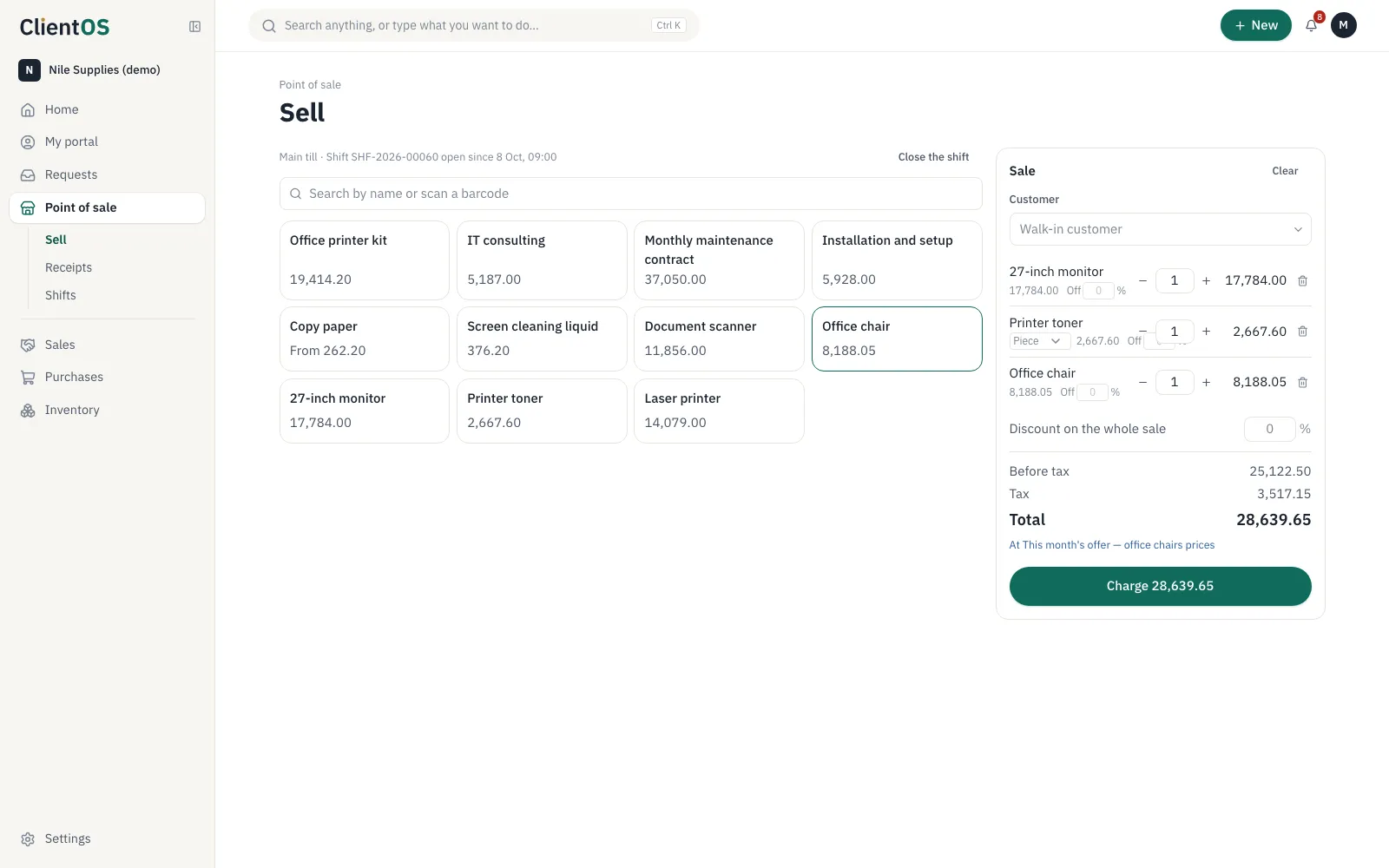
A sale in seconds
Items as tiles, search, scan a carton's or a piece's barcode, and pick size and colour.
- A price list per till (this month's offers), and customers' own prices
- A discount on a line or the whole sale within the till's limit; beyond it needs permission
- Split a payment between card and cash
- Returns with or without the receipt, refunding the money and restocking the goods
Shifts that close to the piastre
Each cashier opens a shift with a float and closes it with a count. Over or short posts to the books.
- A cashier role that sees only the till
- E-receipts submitted to Egypt's Tax Authority
- Receipts and shifts with their reports
Works with
Point of sale isn't an island. This is what moves between it and the other apps by itself.
- Inventory & purchasingStock issued from the branch warehouse
- InvoicingEvery sale is an invoice and a payment
- AccountingSales and cash over or short
Questions
Do I need special hardware?
No. The till runs in the browser on any computer or tablet, and a standard barcode scanner types like a keyboard. It needs an internet connection while selling.
Set your company up in a day
Create the workspace, import your customers from Excel and invite your team. If you'd like help setting up, we're here.
Every app is open during the trial. No card needed.